Attik Update - Workorder Pricing Updates, Online Scheduler Controls & Calendar/Reschedule Improvements

Summary
Workorder pricing flows were updated to improve charge accuracy, equipment handling, and modifier-based recalculations.
Scheduling and calendar experiences were refined, including better reschedule behavior and a new option to hide inspection duration in online scheduling.
Workorder syncing flows now provide clearer support for Spectora sync scenarios.
Invoice flexibility improved with better control over which charges appear on custom invoices.
Several UI polish updates improved clarity across activity, booking, quote, and assistant experiences.
New Features
Online Scheduler Duration Display Control
What changed: A new setting allows teams to show or hide inspection duration in the online scheduler.
Before: Duration display behavior was fixed and could not be toggled.
Now: Teams can control whether duration is visible during online scheduling.

Why it matters: This gives teams more control over how availability is presented to customers.
One-Off Report Support
What changed: Users can now add one-off reports in supported report flows.
Before: Report options were more limited for ad hoc needs.
Now: Users can create one-off reporting entries when needed.
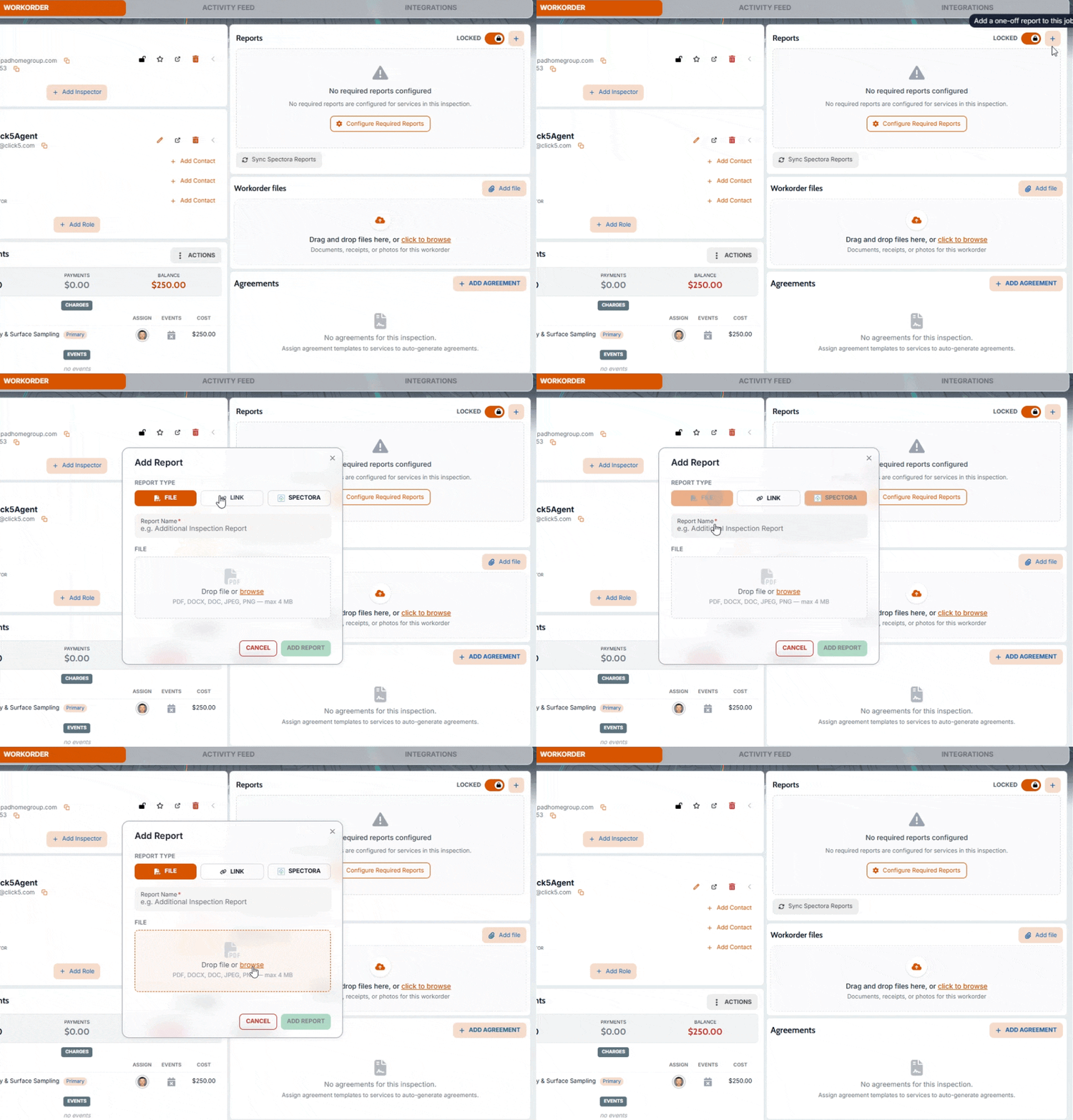
Why it matters: This supports real-world exceptions without forcing users into rigid report patterns.
Agent Usage and Inspection Trend Support
What changed: Trend-oriented frontend support was added for agent usage and inspection count over time.
Before: These metrics were less accessible in trend view contexts.
Now: Users can work with more complete trend data experiences for agent activity and inspection volume.
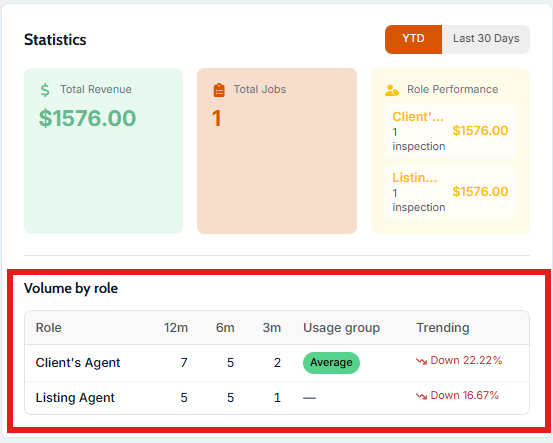
Why it matters: Better trend visibility supports staffing and operational planning decisions.
“Sync Spectora job” action added in inspection actions
What changed: A new “Sync Spectora job” action was added in inspection actions so teams can manually pull in updated report changes when needed.
Before: If report updates were delayed or out of sync, users had fewer direct in-workflow recovery options and often had to wait or troubleshoot.
Now: Users can trigger a sync from the inspection workflow to refresh report data without leaving their normal work area.
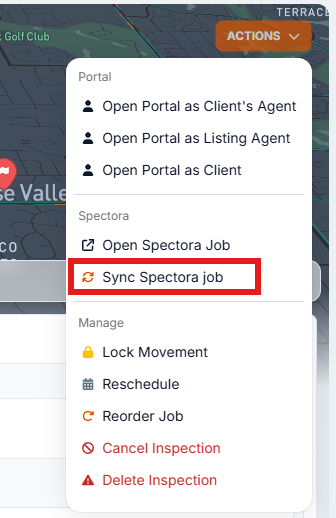
Why it matters: This gives teams a faster recovery path when report data needs to catch up, reducing delays in client-facing workflows.
Improvements
Edit Charges Experience Enhancements
What changed: The Edit Charges experience now supports equipment count and improved recalculation behavior when modifier fields change.
Before: Related values did not always adjust as smoothly when charge inputs changed.
Now: Charge updates react more reliably as users edit modifiers and equipment-related details.
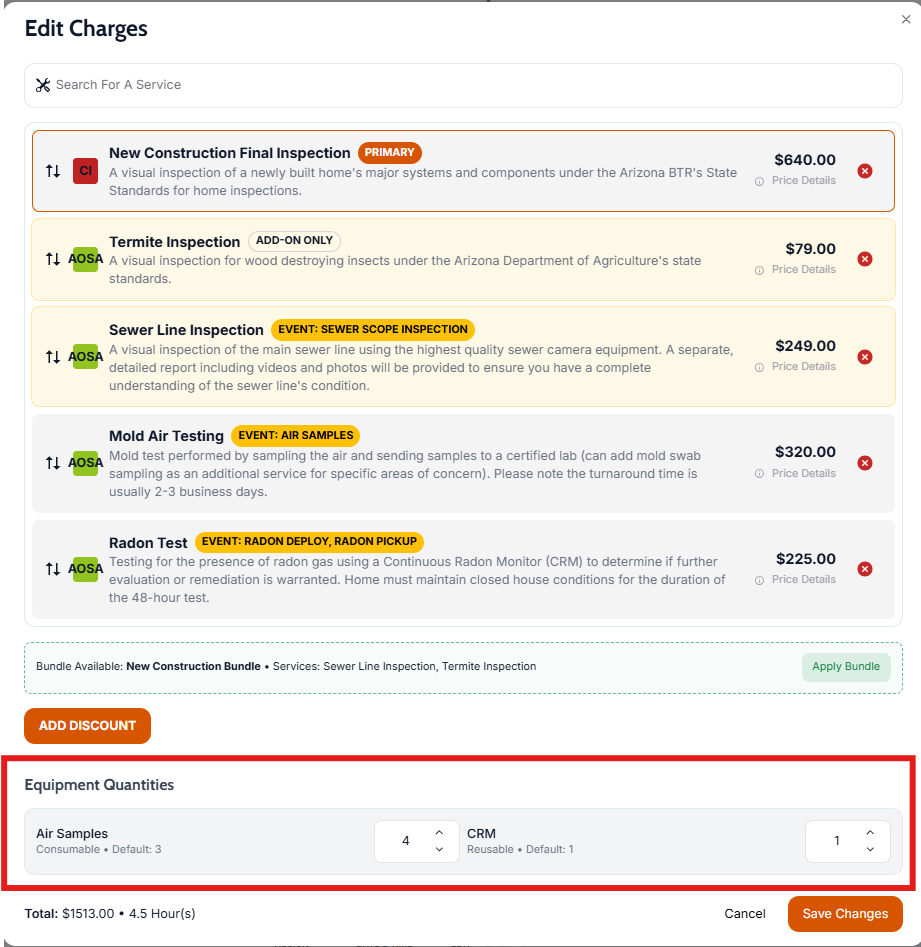
Why it matters: Faster, more predictable editing helps teams finalize workorders with less friction.
Custom Invoice Charge Visibility Controls
What changed: Users can choose which charges appear on custom invoices.
Before: Invoice charge visibility was less flexible in specialized billing scenarios.
Now: Teams can tailor invoice output to show only relevant charges.
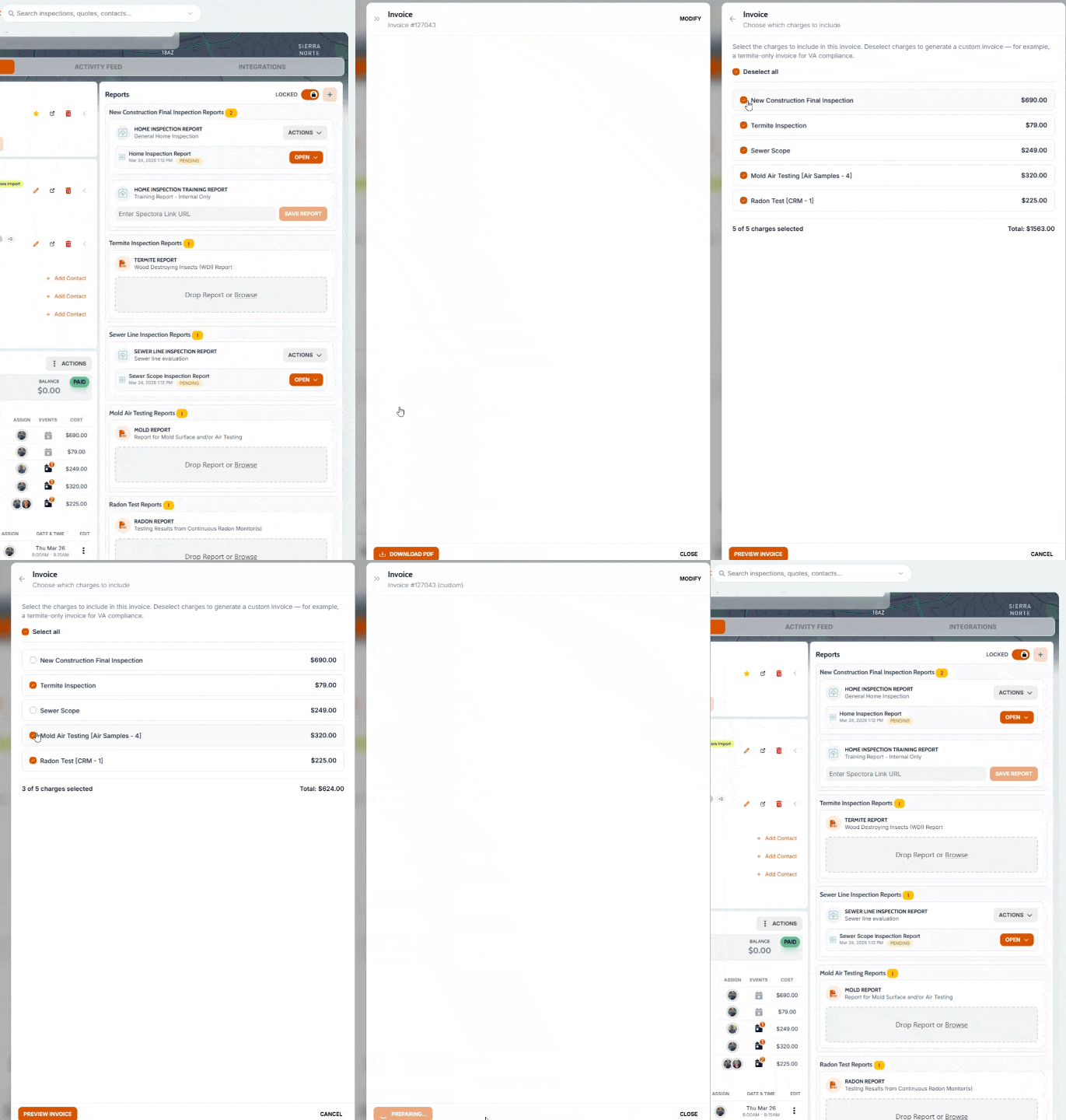
Why it matters: Cleaner invoices are easier for customers to understand and approve.
Calendar and Reschedule Workflow Refinements
What changed: Calendar rendering/interactions and reschedule workflow behavior were improved.
Before: Some calendar/reschedule interactions were less smooth and required extra effort.
Now: Scheduling updates are more intuitive and reliable in day-to-day use.
Why it matters: Better scheduling UX saves time for teams managing high appointment volume.
Activity, Booking & Quotes Polish
What changed: Multiple interface refinements improved visual clarity and usability across inspection activity, booking & quotes.
Before: Some screens had rough edges in layout and interaction details.
Now: Interfaces feel cleaner and more consistent in everyday use.
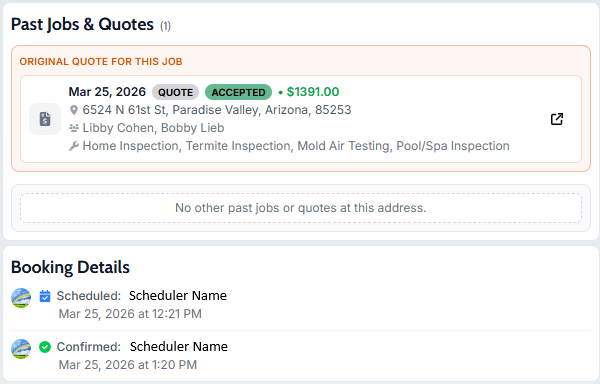
Why it matters: Small UX improvements compound into faster navigation and better user confidence.
Sample report handling and access improvements
What changed: The sample report experience was improved so teams can more reliably open, share, and use sample reports in client and sales conversations.
Before: Sample report usage could feel clunky in some flows, especially when teams needed quick access for demonstrations or outbound communication.
Now: Sample reports are easier to access and use in real workflows, making it simpler to send prospects and clients through a polished preview experience.
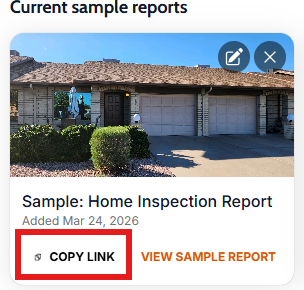
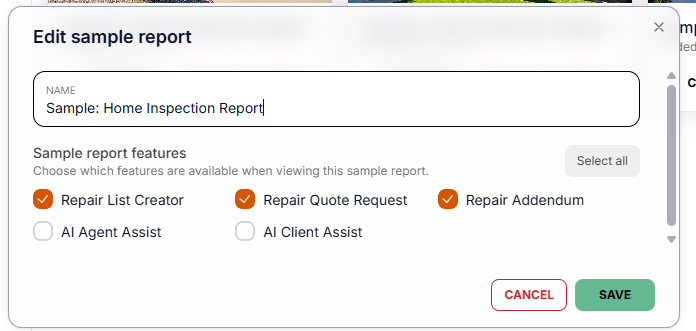
Why it matters: A smoother sample report flow helps teams communicate value faster and creates a more professional pre-booking experience.
Client portal contact-permission handling updates
What changed: Contact-role access behavior in the client portal was tightened so each person on a job sees only the portal sections and actions that match their role (for example, client vs agent views).
Before: Teams could run into edge cases where portal access felt inconsistent when one person had multiple roles on a job, which made support and walkthroughs harder.
Now: Portal access is more role-accurate and predictable, so users are less likely to see the wrong options or miss the options they should have.
Why it matters: A clearer, role-specific portal experience reduces confusion for clients and agents and lowers support overhead.
Bug Fixes
Workorder Pricing Accuracy and Duration Handling
What changed: Pricing flows were improved to better handle duration-aware logic and charge conversion behavior.
Before: Pricing adjustments required more manual correction in some cases.
Now: Workorder pricing updates behave more consistently and accurately across common edit scenarios.
Why it matters: Fewer pricing inconsistencies reduce rework and improve confidence during checkout and approvals.
Charge Recalculation Consistency During Workorder Edits
What changed: Charge recalculation behavior was corrected for modifier-driven updates.
Before: Some edits could leave pricing values out of sync until additional manual changes were made.
Now: Related charges update more reliably as users make modifier changes.
Why it matters: This prevents pricing mismatches and reduces billing correction work.
Duplicate action-flow emails for contacts with multiple roles
What changed: Automated email sends were fixed so one person attached to a job in multiple roles does not receive duplicate copies of the same message.
Before: Some recipients could get the same automation email more than once, which looked like spam or a system error.
Now: Each recipient gets the expected single send from the automation flow, even if they appear on the job in more than one role.
Why it matters: This improves trust in communication, reduces inbox noise, and prevents client confusion.
Calendar lock tooltip, reschedule flow, and slot modal fixes
What changed: Several scheduling issues were fixed across lock-state messaging, reschedule behavior, and slot-selection modal interactions.
Before: Users could encounter confusing lock cues, awkward reschedule steps, or inconsistent slot modal behavior during booking changes.
Now: Rescheduling interactions are more stable and understandable, and slot updates are more dependable while moving jobs.
Why it matters: Reliable schedule-edit flows reduce rework for office teams and improve confidence when changing appointments.
Defect index display correction in report defect cards
What changed: Defect-card indexing in report views was corrected so item numbering and sequence display align properly for users reviewing findings.
Before: Some report readers could see defect numbering that looked off or inconsistent, making navigation and discussion harder.
Now: Defect cards display more accurate numbering/order, so users can reference findings more clearly during review and follow-up.
Why it matters: Clearer defect indexing improves report readability for clients, agents, and internal teams.