Attik Update (Mobile App) - Manual Comment Creation, Comment Screen Redesign & Photo Fixes

Summary
Inspectors can now add comments manually without AI ingestion, with a redesigned New Comment screen and inline editing on summary cards.
Comment photos can now be reordered by dragging, and archived reports can be reverted to pending.
Comment photos now keep their capture order, Android menus can be dismissed, and Get Directions routes to the correct spot.
New Features
Add comments without AI ingestion
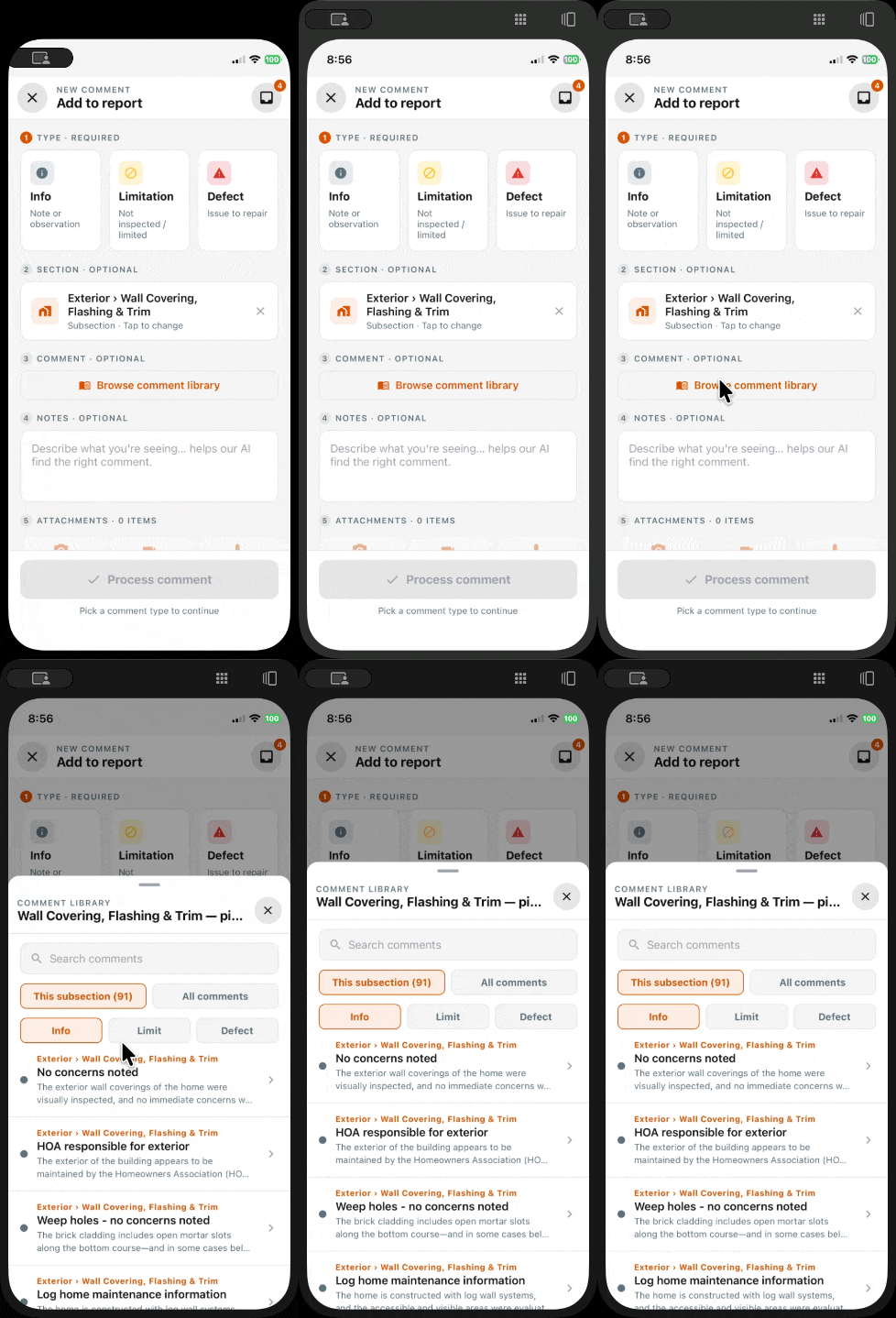
What changed: Inspectors can now add comments directly from a full list under each subsection, filtered by Info/Limitation vs Defect, bypassing the AI comment ingestion flow. Quick-add via checkbox, or full edit via the arrow.
Where to find it: Mobile app → open a subsection → comment list
Improvements
New Comment screen redesign
What changed: The New Comment screen now follows the updated mobile layout and action bar design.
Where to find it: Mobile app → New Comment screen
Inline editing on report summary cards
What changed: Inspectors can edit captions, location, and related fields directly from the summary card instead of jumping to the edit screen.
Where to find it: Mobile app → Report summary screen
Drag-and-drop photo reordering
What changed: Comment photos can now be reordered by dragging them within a comment.
Where to find it: Mobile app → Edit comment screen
Archived reports can be returned to pending
What changed: The report actions menu now includes Revert To Pending for archived reports.
Where to find it: Mobile app → Report actions menu
All-media gallery in the report editor
What changed: Staff can review all media captured during an inspection in one place, including photos not attached to any comment.
Where to find it: Report editor → Media gallery
Bug Fixes
Mobile Get Directions lands on the correct location
What changed: Apple Maps, Google Maps, and Waze now use the same destination source, so directions no longer drift to the wrong coordinates.
Where to find it: Mobile app → Inspection details → Get Directions
Applies to: Existing and future records
Android action menus can be dismissed
What changed: Cover photo and other action menus on Android now include a way to back out without choosing an option.
Where to find it: Mobile app → report photo and attachment menus
Applies to: Future records only
Comment photos keep capture order
What changed: Comment photos and videos now stay in the order they were captured instead of being reordered by processing time.
Where to find it: Report writer → comment media, PDFs, and the web editor
Applies to: Existing and future records