Attik Update - Report Corrections, Template Editor Polish

Summary
Staff can now move or copy an in-progress report to the correct job, and annotate photos directly from the comment editor.
The report template editor got clearer comment duplication and reordering, and active service bundles can now be reordered in the Scheduler form.
Fixed a production error that was blocking some reports from loading on the legacy report skin, plus portal link and quote-calendar fixes.
Styles & Materials option values can now be reordered in the template editor, and radon end counts now use company timezone on the calendar.
New Features
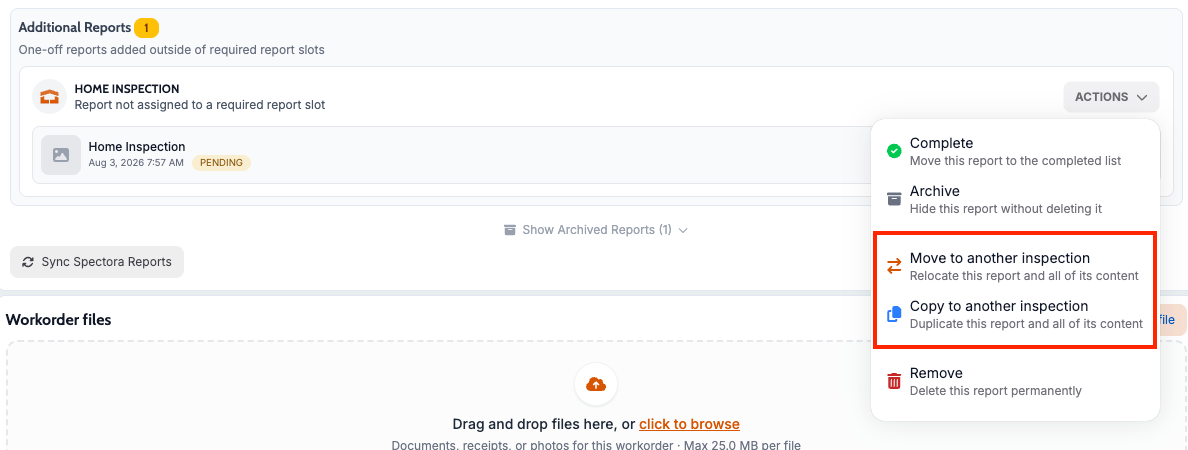
Move or copy an Attik native report to a different job
What changed: Staff can move an in-progress report to a different address/job, or copy it, directly from the web — useful for correcting a report attached to the wrong job. This is only applicable for Attik native report types.
Where to find it: Workorder Reports Section → open a report → Move/Copy.
Improvements
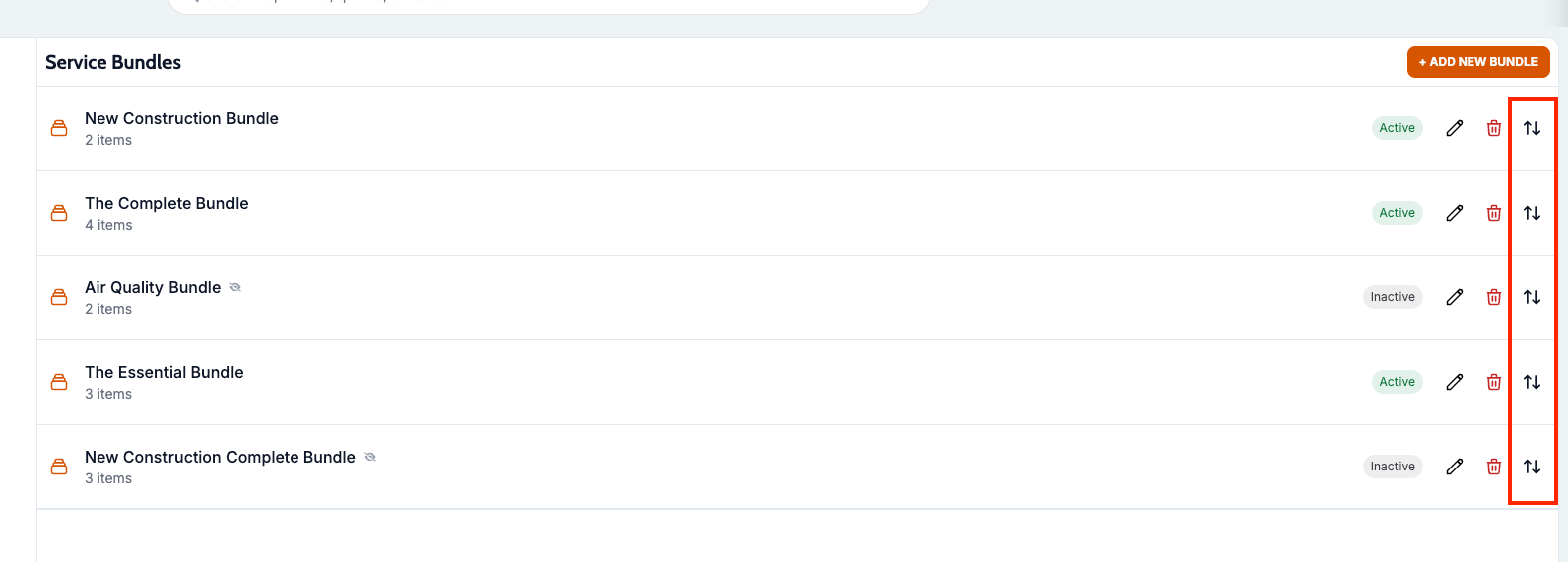
Reorder service bundles in the Scheduler form
What changed: Active service bundles can now be dragged into a deliberate display order in the Scheduler form’s settings, instead of showing in database insertion order.
Where to find it: Settings → Scheduler → Service Bundles.
Clearer template editor comment duplication and reordering
What changed: The template editor now lets you duplicate a comment from the list or edit drawer, and drag-to-reorder is smoother with always-visible handles and no snap-back after moving items.
Where to find it: Settings → Report Templates → open a template → comment list.
Styles & Materials option reordering
What changed: Template authors can reorder Styles & Materials option values so inspectors see them in the intended order.
Where to find it: Report template editor → Styles & Materials field settings.
Bug Fixes
Fixed report page error on the legacy report skin
What changed: A production error that prevented some reports from loading on the legacy report skin has been fixed.
Where to find it: Reports Hub → open an affected report.
Applies to: Existing and future records
Fixed portal links for manually entered contacts
What changed: Portal links sent by email or text sometimes failed to open when the recipient was a manually entered contact rather than a matched client record; links now correctly fall back to a valid recipient.
Where to find it: Client-facing portal links sent via email/SMS.
Applies to: Existing and future records
Fixed quote portal calendar week alignment
What changed: The client quote portal’s appointment calendar started its view on “today” instead of Monday, unlike the main scheduler; both now align.
Where to find it: Client-facing quote link → Schedule.
Applies to: Existing and future records
Radon end counts use the company timezone
What changed: Radon end counts now line up with the company’s local day, which fixes missing entries on the calendar in affected time zones.
Where to find it: Calendar radon views and radon daily workflow.
Applies to: Existing and future records