Attik Update - Five-Minute Videos, Restart-to-Update Prompt & Faster Android Report Writer (Mobile App)

Summary
Record and upload videos up to five minutes, with steadier video and smaller files
AI suggestions now understand what a video shows
A prompt tells inspectors when an app update is ready, and Restart applies it
A compact Finish button that no longer covers the outline
Faster typing in the Android report writer and no more doubled words from voice typing
Faster photo uploads and more free storage on the phone
Make sure to update your app to version 1.5.0:
Apple: https://apps.apple.com/us/app/attik-mobile/id6761028625
Android: https://play.google.com/store/apps/details?id=ai.attik.mobile&hl=en_US
New Features
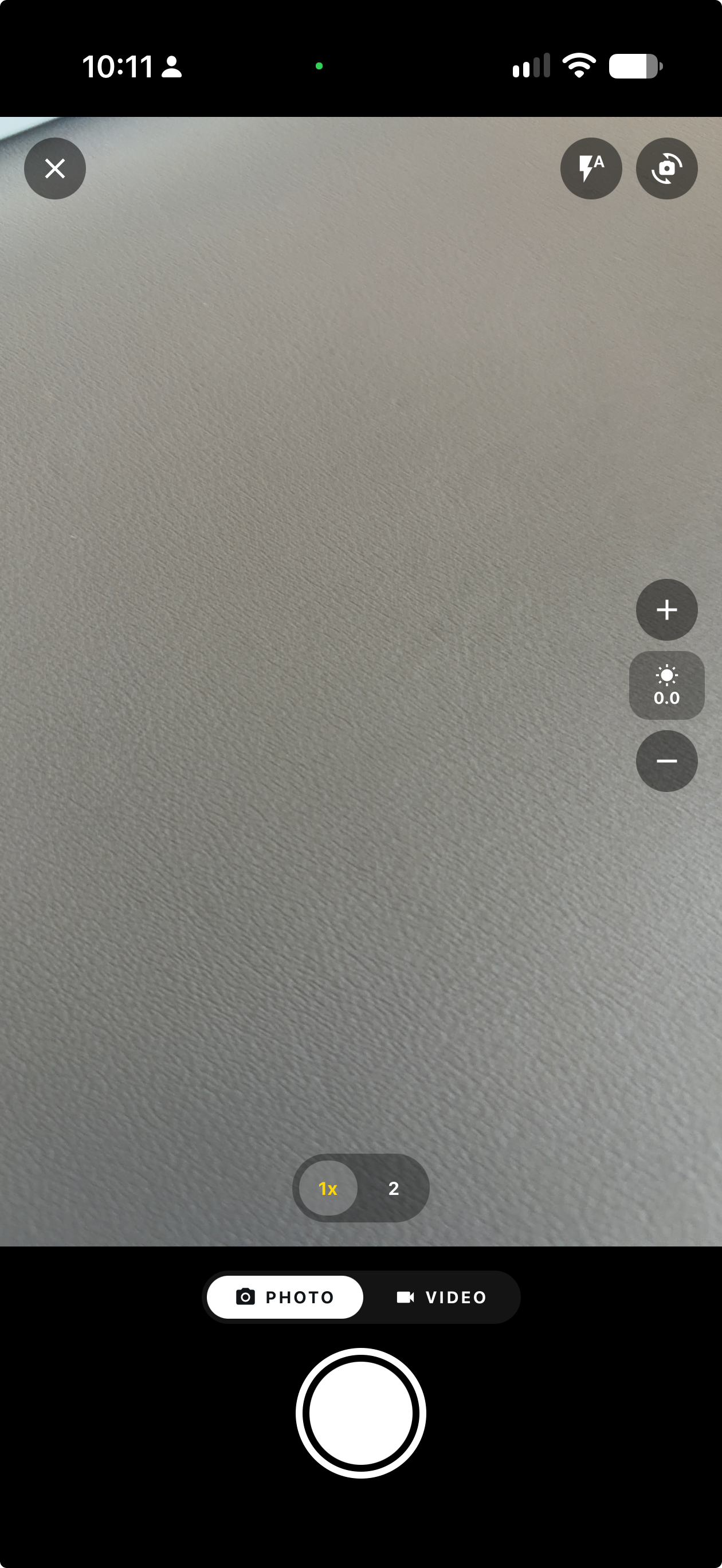
Brand new faster camera that reduces blur, opens faster, and has exposure adjustments.
What changed: We upgraded the camera to vision-camera 5. This latest model works faster on apple and android, is lighter on the phone, and should open and close faster for users.
Where to find it: All camera surfaces.
Android lag when selecting comments addressed
What changed: Tapping through comment screens, adding images, and locations in long comment lists caused lagging when the phone was not on airplane mode. Sometimes up to a 5 second delay between taps and UI updates. This was due to a re-rendering issue causing server syncing to re-render the whole list on android with each change. We prevented the re-render, plus upgraded the database on android to increase UI speed.
Where to find it: Any comment list on Android.
Applies to: Existing and future jobs
Restart prompt when an app update is ready
What changed: When an over the air app update finishes downloading, an Update ready banner appears at the bottom of the screen. Tap Restart to apply it right away instead of closing and reopening the app twice.
Where to find it: Bottom of the screen after an update downloads.
Improvements
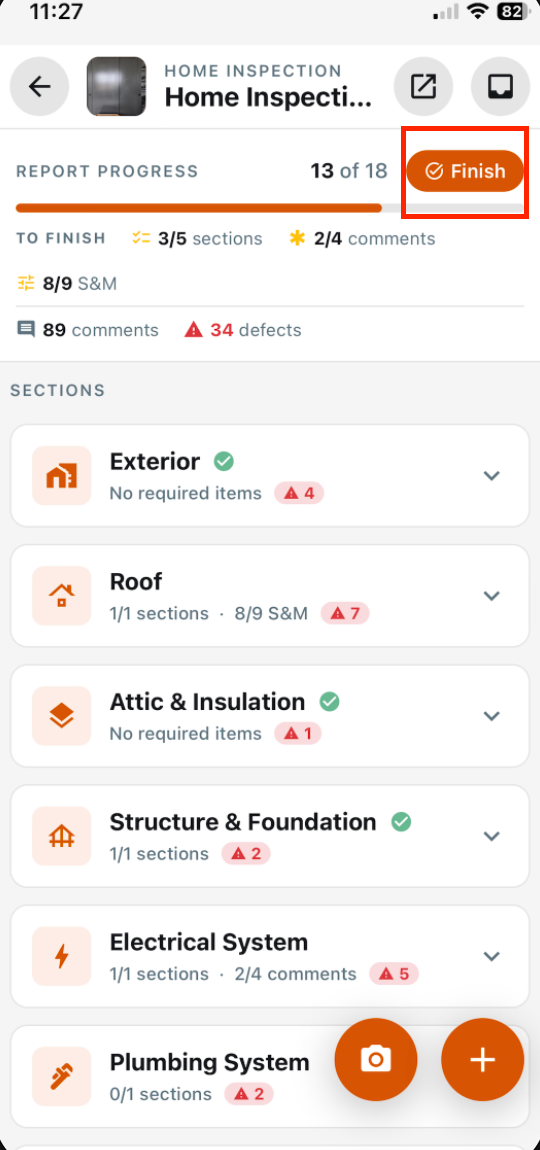
Compact Finish button in the outline
What changed: The large floating Finish report bar is now a small Finish button next to the progress count at the top of the outline, so it no longer covers rows and comments. It shows on completed reports too, where it opens the summary.
Where to find it: Report writer outline, next to the progress count.
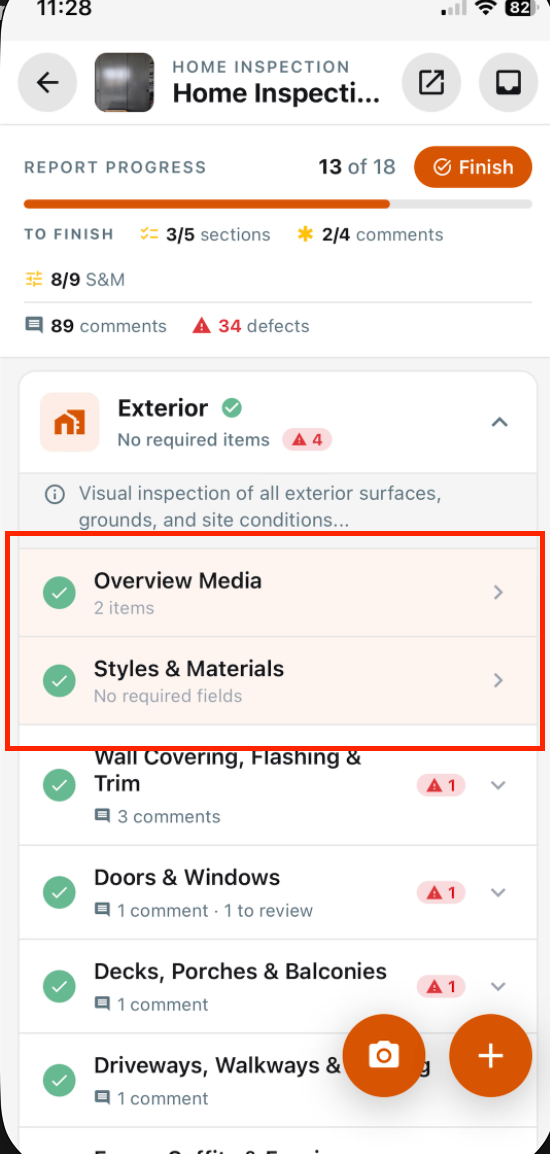
Styles & Materials and Overview Media titles in normal text
What changed: The Styles & Materials and Overview Media row titles now use the normal text color instead of orange, which read as red. The row tint, icon and status checks are unchanged.
Where to find it: Report writer outline.
Five-minute videos at 1080p
What changed: Videos can now be up to five minutes long, up from two. The in-app camera counts down and stops at 5:00, and the library picker accepts clips up to five minutes. Uploads are sized to 1080p on the short side and keep their shape.
Where to find it: Camera video mode and the photo library picker on a comment.
Steadier video and smaller recordings
What changed: In-app video is stabilized on phones that support it and recorded in a more efficient format, so files are about half the size before upload. Uploaded videos still play in any browser.
Where to find it: Camera video mode.
AI understands what a video shows
What changed: The app now sends several still frames from across each video, so AI comment suggestions reflect what the video shows and arrive without waiting for the full video to upload.
Where to find it: AI suggestions on comments with video.
Faster photo uploads
What changed: Report photos are prepared at a smaller size before upload, so they upload faster while staying sharp in the web report and PDF.
Where to find it: No new screen. Takes effect after the update.
Frees up phone storage after uploads
What changed: Once the smaller copy of a photo or video is safely uploaded, the full-size original is removed from the phone, so the app uses much less storage.
Where to find it: No new screen. Takes effect after the update.
Bug Fixes
Voice typing no longer doubles words
What changed: Dictating into a photo caption, location, comment title or Notes field no longer doubles words or drops text.
Where to find it: Comment and photo text fields with the keyboard microphone.
Applies to: Existing and future records